Just like a bank card
The terminal accepts the SZÉP card. L-Kassza passes the amount and creates the receipt from the result.
SZÉP card acceptance
The terminal handles SZÉP card payments just like bank cards, provided your terminal supports them and you have a contract for them. L-Kassza records it on the receipt as a separate payment method, and it works in mixed payments too.
A few minutes, no bank card needed.
What you get
The terminal accepts the SZÉP card. L-Kassza passes the amount and creates the receipt from the result.
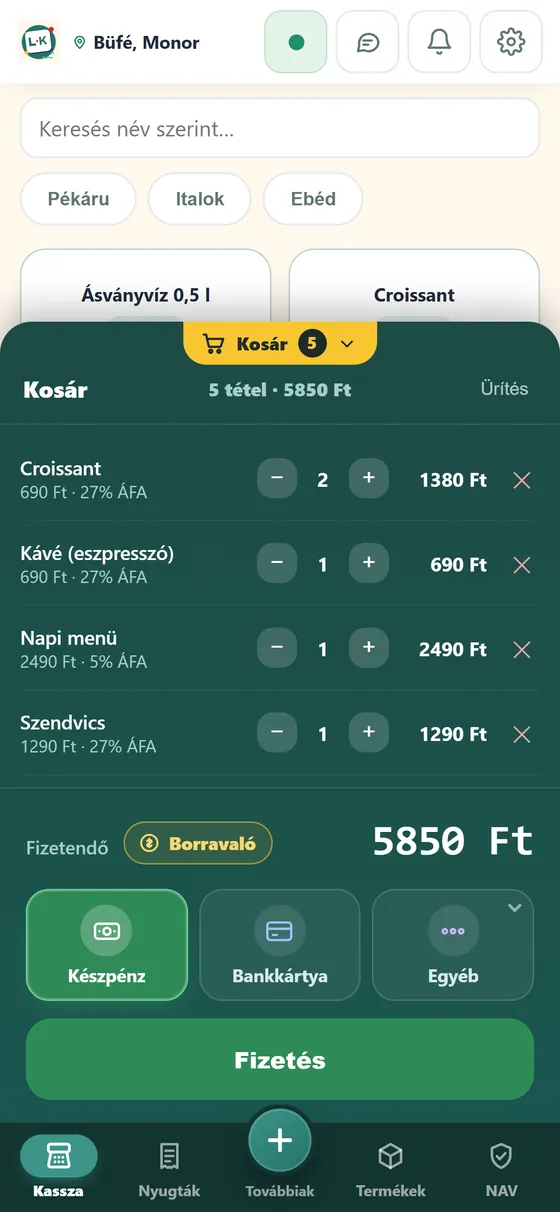
If the customer pays in several ways, the card parts go first and the cash last. The parts add up to the total.
The health fund card is also a separate payment method, just like the SZÉP card.
In the web portal, payment methods are shown and filterable separately among the receipts.
To accept SZÉP cards, your terminal must support them, and the card-acceptance contract is arranged with the terminal provider; L-Kassza does not replace it.
How it works
You enter the amount, or pick the products.
From the payment methods you choose the SZÉP card, or split payment.
The customer pays on the terminal, and after a successful payment the receipt is created.
FAQ
Yes, if your terminal supports SZÉP cards and you have a card-acceptance contract for them. The terminal handles the payment; L-Kassza records it on the receipt as a separate payment method, and it can be used in mixed payments too (for example cash and SZÉP).
Yes. Split payment supports any combination: cash, bank card, SZÉP card or health fund card on a single receipt.
Yes. The bank card terminal or payment app handles the card payment: L-Kassza passes the amount and gets the result back. The receipt is created after a successful payment.
On the web you see daily turnover, period comparisons, opening-hours analysis and sales by item. Reports can be downloaded and passed on to your accountant.
Signing up takes a few minutes, and you can issue receipts right away.