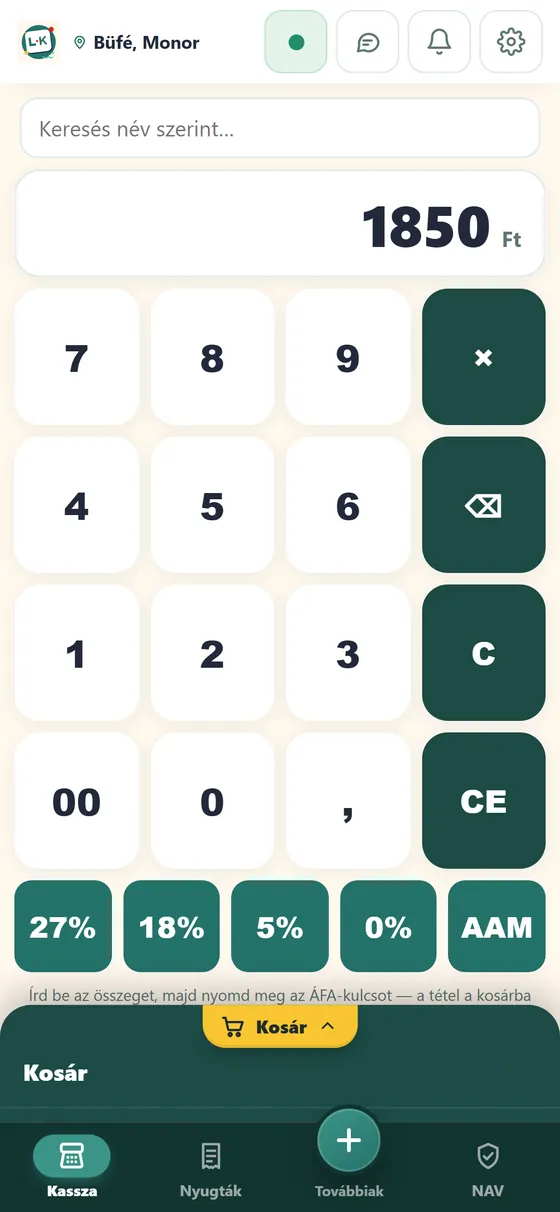
Amount, VAT rate, done
You enter the amount, tap the VAT rate (27, 18, 5, 0 percent or AAM), and the item is in the cart. The receipt can be printed or emailed.
What you get
You enter the amount, tap the VAT rate (27, 18, 5, 0 percent or AAM), and the item is in the cart. The receipt can be printed or emailed.
If you work with products, you pick them from groups, by search or by barcode. Calculator mode needs no product list.
Receipts are created on the device and upload by themselves when the connection returns. A market stall or weak signal does not stop your sales.
With a Bluetooth receipt printer, or on Windows or a large tablet with a USB receipt printer.
You can add your product list in the app or on the web, and upload it with an Excel import as well. Your data stays in sync with your phone.
The app and the web portal are available in Hungarian, English and Chinese.
Videos
A tale about the till, and short videos about selling, products and pricing.
How it works
A few minutes, no bank card needed.
For this you need the technical user you received from NAV.
On an Android phone or tablet, on Windows, or in the browser.
FAQ
You can use it on an Android phone or tablet (installable from Google Play), on Windows, and from a browser. On a bank terminal, you install the app from the terminal’s own app store.
Where the law requires a cash register, you need one: there L-Kassza works next to your cash register in cash-register mode. Where you may issue receipts by hand or with an invoice, L-Kassza replaces the handwritten receipt book and handles the NAV reporting.
A Bluetooth receipt printer, or on Windows or a large tablet a USB receipt printer. You can also email the receipt.
Yes. Receipts are created on the device and upload by themselves when the connection returns. A market stall or weak signal does not stop your sales.
No. Signing up takes a few minutes, without a bank card. To set up the NAV connection you need the technical user you received from NAV.
On the web you see daily turnover, period comparisons, opening-hours analysis and sales by item. Reports can be downloaded and passed on to your accountant.
The app and the web portal are available in Hungarian, English and Chinese. Printed receipts and invoices stay in Hungarian.
Signing up takes a few minutes, and you can issue receipts right away.